Generate package with financial documents
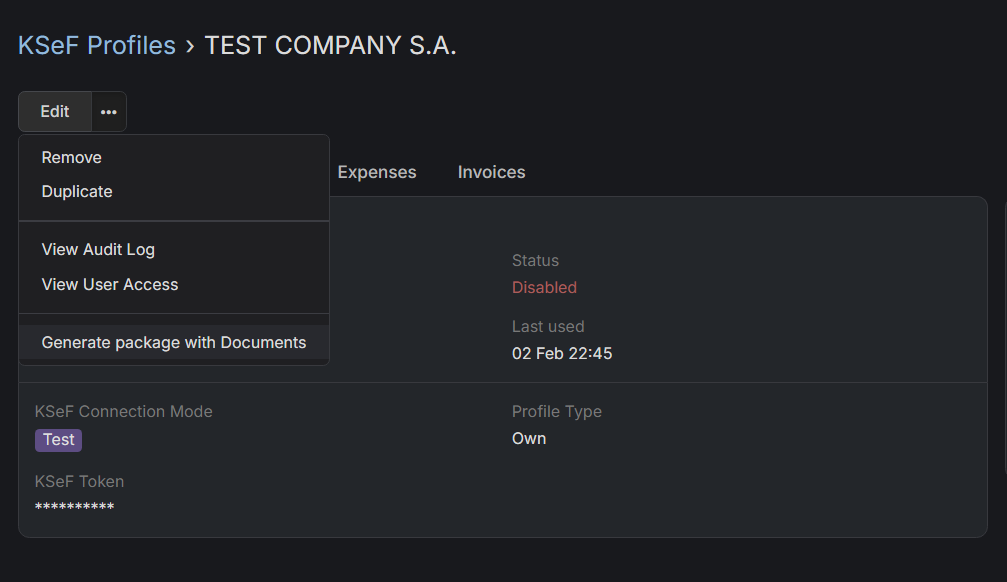
How to download financial documents from previous month?
- Go to KSeF Profiles.
- Choose KSeF Profile for which you want to generate a package with documents.
- Click on horizontal three dots icon, next to Edit button and choose
Export invoicesoption from dropdown. - Choose period from which you want to download invoices, by default it is set to one month. You can also choose whether you want to download only expenses or invoices.
- Click on Export
You'll be notified in EspoCRM notifications when package will be ready. There will be also a link to a package.